XiaoZhi: open-source ESP32 AI voice chatbot
A very popular firmware that turns ESP32-S3 boards into an LLM voice assistant using the MCP protocol.
Photos
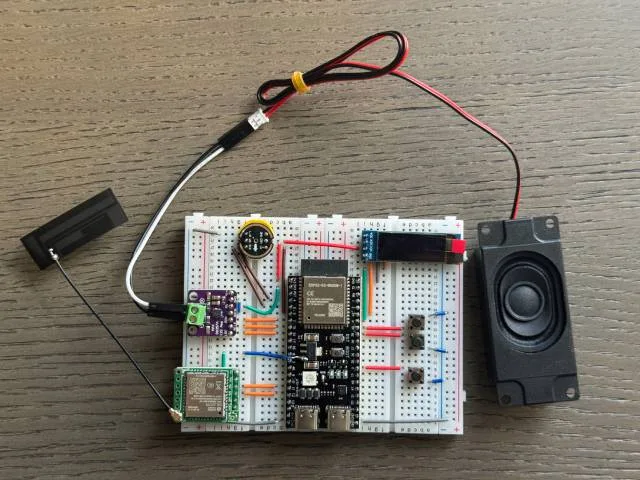
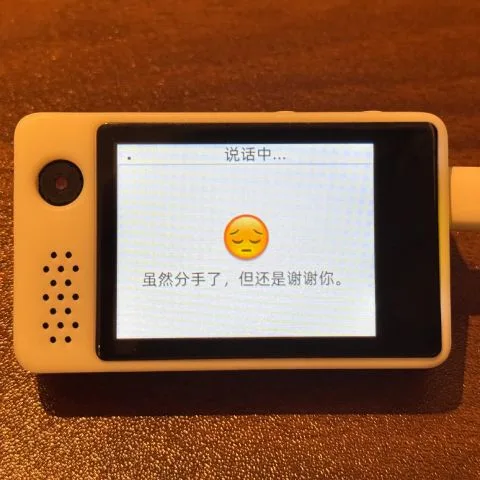
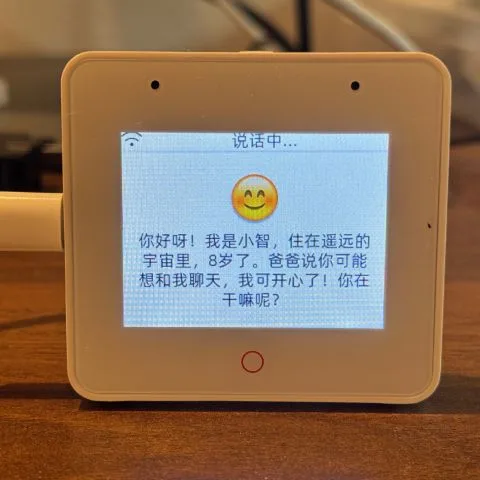
Photos: 78/xiaozhi-esp32
Key Facts
- Chip: ESP32-S3 (also C3/P4 boards)
- Function: LLM voice assistant
- Protocol: MCP for device control
- Framework: ESP-IDF
About This Project
XiaoZhi is an open-source AI chatbot firmware for ESP32 boards, most commonly the ESP32-S3. It streams speech to a cloud LLM backend and plays responses back, and it uses the Model Context Protocol (MCP) so the device can control hardware or call tools. It supports dozens of off-the-shelf boards with mics, speakers and displays, and has a very large Chinese-speaking community. Documentation is partly in Chinese; English docs exist but are thinner.
Parts Needed
- ESP32-S3 board with PSRAM (or one of the many supported boards)
- INMP441 I2S microphone
- MAX98357A I2S amplifier + speaker
- 0.96in OLED or an LCD (optional)
- Breadboard and wires for a DIY build
Steps
- 1
Pick hardware
Use a supported dev board or the breadboard design: an S3 module with an I2S mic, amp, speaker and optional OLED. The wiring for each board lives in its board folder.
- 2
Flash prebuilt firmware
Beginners can follow the project's flashing guide, which flashes a release image for your board with no development setup.
- 3
Provision Wi-Fi
On first boot, the device starts a hotspot (or BluFi) for entering your Wi-Fi details.
- 4
Link to a server
By default it connects to the xiaozhi.me service. Register there and bind the device with the code it reads out, then pick your model and voice in the console. You can also run your own server.
- 5
Build from source (optional)
Install ESP-IDF v6.0.1 or newer (6.1 recommended; 5.x no longer works), choose your board variant and build. The Custom Board Guide explains how to add new hardware.
- 6
Tips
Boards with acoustic echo cancellation can do full-duplex conversation. MCP lets the assistant control the speaker, LEDs, servos and GPIO.
Related Projects